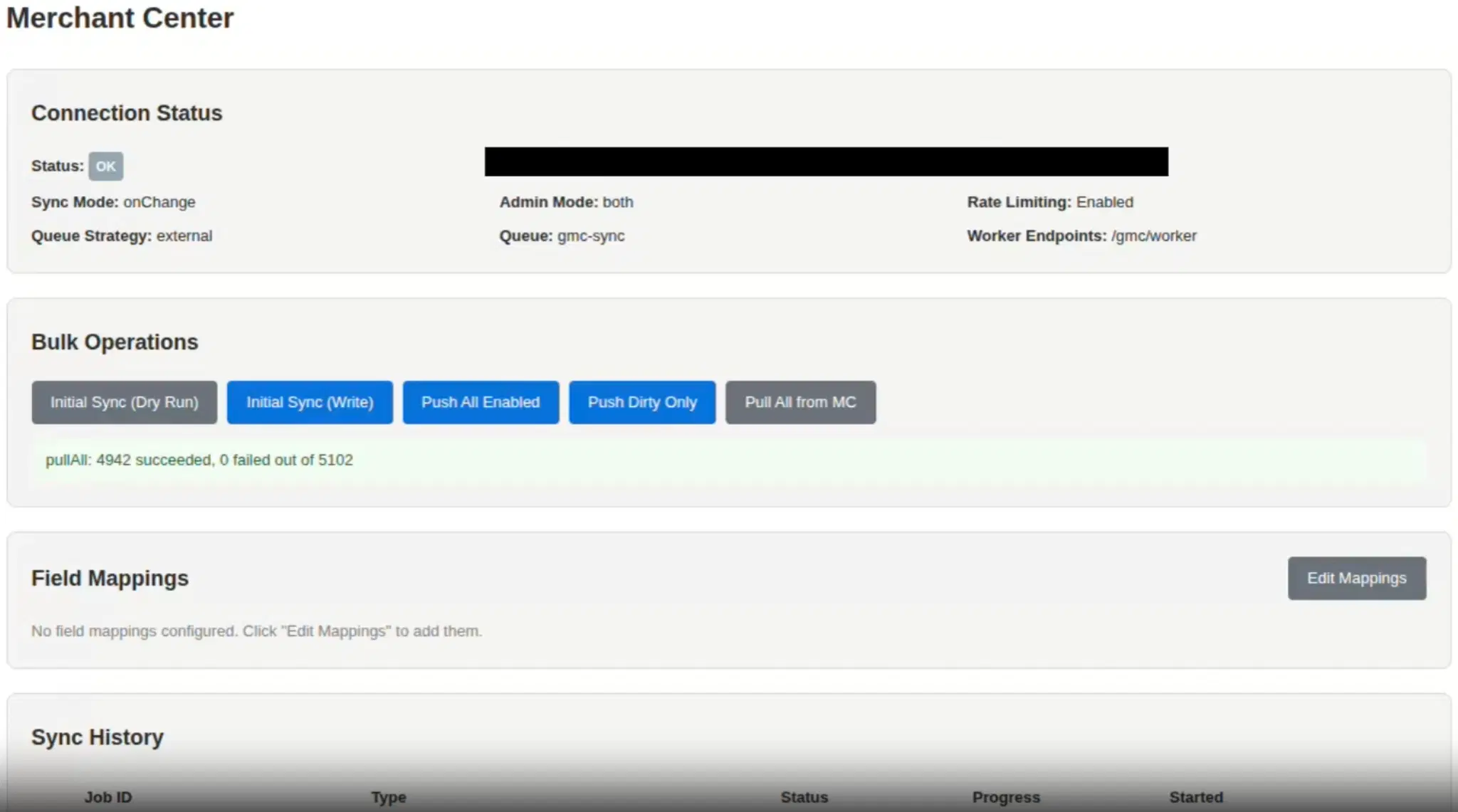
Conti Digital - Payload GMC Plugin Production Demo
Google Shopping is the highest-converting acquisition channel for high-ticket ecommerce. For Fine’s Gallery, a luxury marble and stone retailer generating hundreds of thousands per month through Google Shopping, the Merchant Center catalog is the engine behind that revenue. Every product listing, Shopping ad, and free listing starts with a product record that is accurate, current, and complete.
Managing that catalog manually for 5,400 products is not viable. Managing it through Google's Merchant Center UI is slow and error-prone at scale. And managing it through brittle feed files or third-party SaaS tools introduces dependencies, sync delays, and integration points that are not reliable.
I needed a system that synced Fine's Gallery's entire product catalog from Payload CMS directly to Google Merchant Center through the API, with field mappings, batch operations, conflict resolution, rate limiting, and an admin interface that non-technical users could operate. When no existing solution met those requirements, I built one.
This article walks through the architecture of payload-plugin-gmc-ecommerce, the plugin that powers Fine's Gallery's Google Shopping operation, now extracted and open-sourced for the Payload CMS community.
The plugin is available on GitHub and npm.
Why Not Use Feed Files?
The traditional approach to Merchant Center integration is generating XML or CSV feed files on a schedule: export your products, format them to Google's spec, upload to a feed URL, and wait for Merchant Center to crawl it. This works for small catalogs with infrequent changes, but it breaks down in several ways at scale.
Feed files are batch-oriented. If you change a product's price at 2 PM, that change doesn't reach Merchant Center until the next feed crawl, which might be hours later. For a retailer running paid Shopping campaigns where price accuracy directly affects ad spend efficiency, that delay is a real cost.
Feed files are also opaque. When a product fails Merchant Center validation, the error appears in Google's interface, disconnected from the product record in your CMS. Diagnosing why a specific product was disapproved requires cross-referencing between two systems that don't talk to each other.
The Merchant API v1 (Google's current stable API, replacing the older Content API for Shopping) solves these problems by providing direct product insertion, update, and retrieval endpoints. But consuming a raw API is only the beginning. The real engineering challenge is building a reliable sync layer on top of it.
Architecture Overview
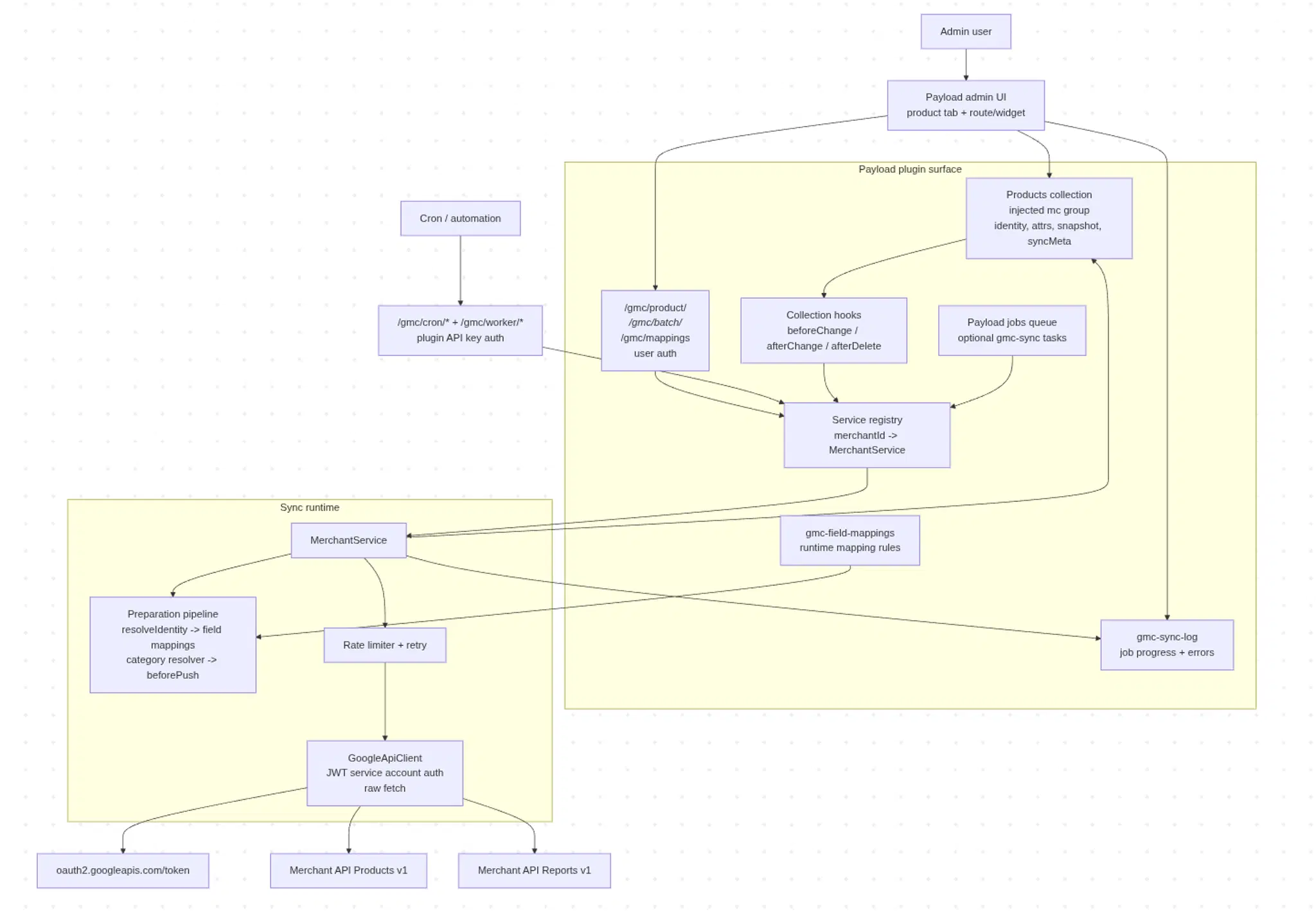
Conti Digital - Payload CMS GMC Plugin Architecture Overview Mermaid Diagram
The plugin operates as a bidirectional sync engine between Payload CMS and Google Merchant Center. Products flow in both directions: push operations send product data from Payload to Merchant Center, and pull operations retrieve processed product data (including Google's approval status, enriched attributes, and the read-only snapshot) back into Payload. Approval status and performance metrics (impressions, clicks, CTR, conversions) are queried live through the per-product Analytics endpoint and the Merchant Reports API rather than being persisted into the product document, so they're always current when the Merchant Center tab loads.
Every product that participates in the sync carries a set of injected fields under an mc namespace: identity fields (offerId, feedLabel, contentLanguage), all Merchant Center product attributes, sync metadata (state, timestamps, dirty flag, error details), and a read-only snapshot of the last API response from Google. These fields are injected automatically into your products collection when the plugin initializes.
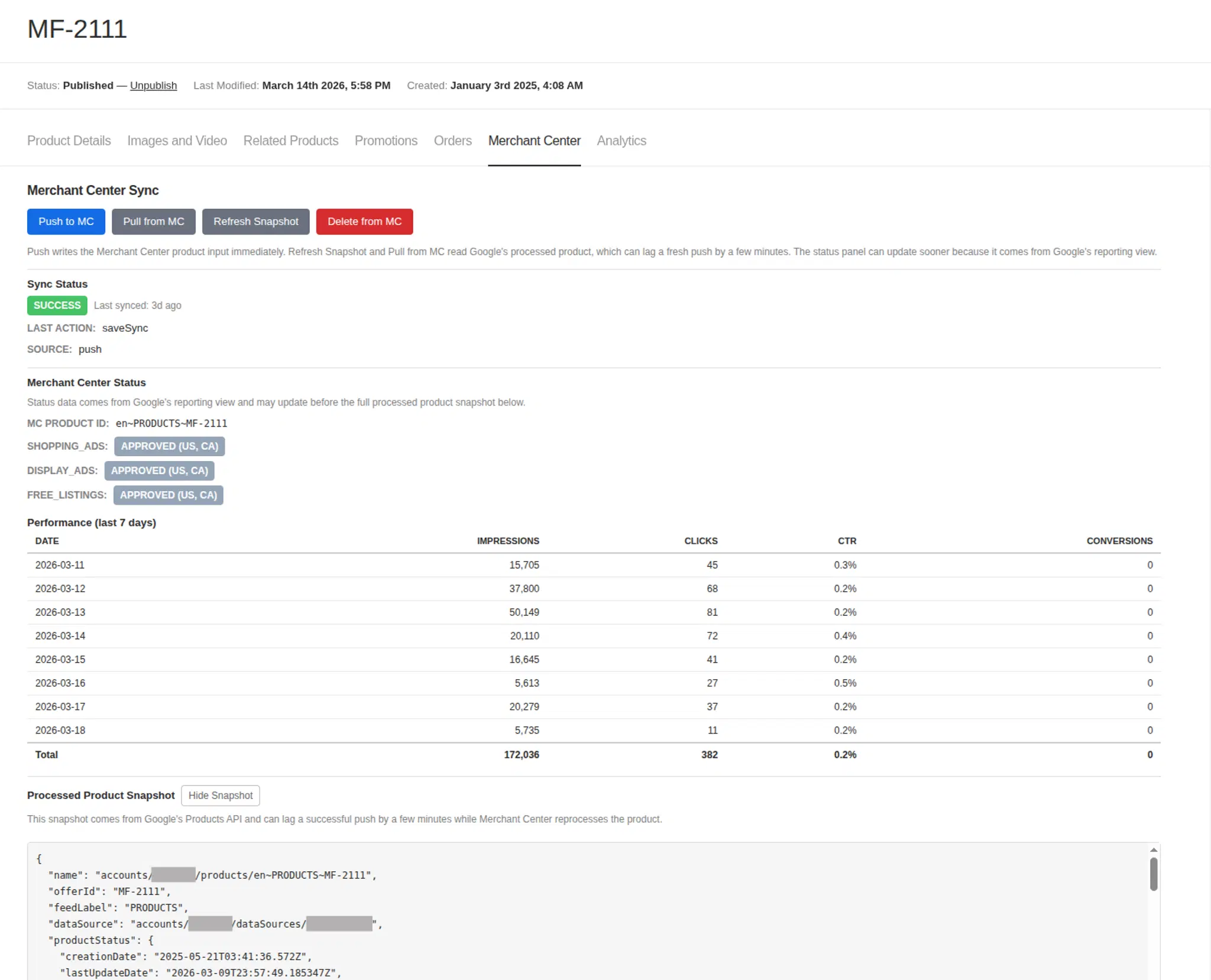
Conti Digital - Payload CMS GMC Plugin - Product Sync Controls
Raw Fetch, No SDK
The plugin calls merchantapi.googleapis.com directly using raw fetch with no @googleapis/content dependency. This was a deliberate choice. The official Google SDK is heavy, brings a large dependency tree, and abstracts away HTTP details that matter when you need precise control over retry behavior, request timing, and error handling. Raw fetch means the plugin controls the entire request lifecycle: authentication token management, request serialization, response parsing, error classification, and retry decisions.
Product Identity
Product identity in Merchant Center is derived from three values: contentLanguage, feedLabel, and offerId. Together they form a unique product identifier like en~PRODUCTS~SKU-123. Changing any of these values creates a new product in Merchant Center rather than updating the existing one.
This sounds simple, but it's the source of the most common Merchant Center integration bug: identity mismatch. If your existing catalog uses PRODUCTS as the feed label and your plugin configuration uses US, you'll create duplicate products. If your offerId derivation produces sku-123 (lowercase) but your existing catalog has SKU-123 (uppercase), that's a different product.
The plugin resolves identity from per-product overrides first, falling back to configurable defaults. The setup guide includes an entire section on identity alignment for teams migrating from existing Merchant Center setups, because getting this wrong can silently corrupt a live Shopping catalog.
The Sync Engine
Three Sync Modes
The plugin supports three sync modes, and the choice between them reflects a fundamental design philosophy: start conservative, move to automation only after you've validated the integration.
Manual mode is the default. Nothing syncs until you explicitly trigger it through the admin UI or API. This is the right starting mode for every integration because it lets you push individual products, inspect the results, verify identity alignment, and confirm that your field mappings produce correct Merchant Center attributes before any automation runs.
onChange mode fires automatically on every product save. When a user saves a product in the admin panel, an afterChange hook queues a push. With the default external scheduling strategy, the push runs via setImmediate in the same process. With the payload-jobs strategy, the hook enqueues a gmcPushProduct task onto the job queue instead, and a separate Payload jobs worker picks it up. Either way, the HTTP response returns immediately and the user never waits for the Merchant Center API call. The push runs in the background: resolve identity, apply field mappings, apply the beforePush hook, insert the product, fetch the snapshot, and update sync metadata. If the push fails, the error is captured in the product's sync metadata for visibility.
Scheduled mode marks products as dirty on save and defers the actual push to a batch job. This is ideal for high-volume catalogs where individual onChange pushes would overwhelm the API quota. Dirty products accumulate during the day and sync in a single efficient batch when your external scheduler (EventBridge, cron, or similar) triggers the push-dirty endpoint. If using the payload-jobs strategy, the batch enqueue still requires an external trigger; the plugin registers the task definitions but does not run an internal scheduler.
Rate Limiting Under Load
The sync engine includes a bounded concurrency rate limiter that protects Google's API quotas. With default settings, four products process concurrently with up to 200 queued behind them. If a bulk update triggers 1,000 simultaneous onChange pushes, the first 204 proceed through the limiter while the remaining 796 receive a queue overflow error and are marked dirty. Those dirty products get picked up on the next scheduled sync or through the "Push Dirty" admin action.
This is intentional design, not a limitation. The rate limiter prevents a bulk CSV import or a mass price update from burning through your entire daily API quota in minutes. The overflow-to-dirty pattern ensures no product data is lost; it's just deferred.
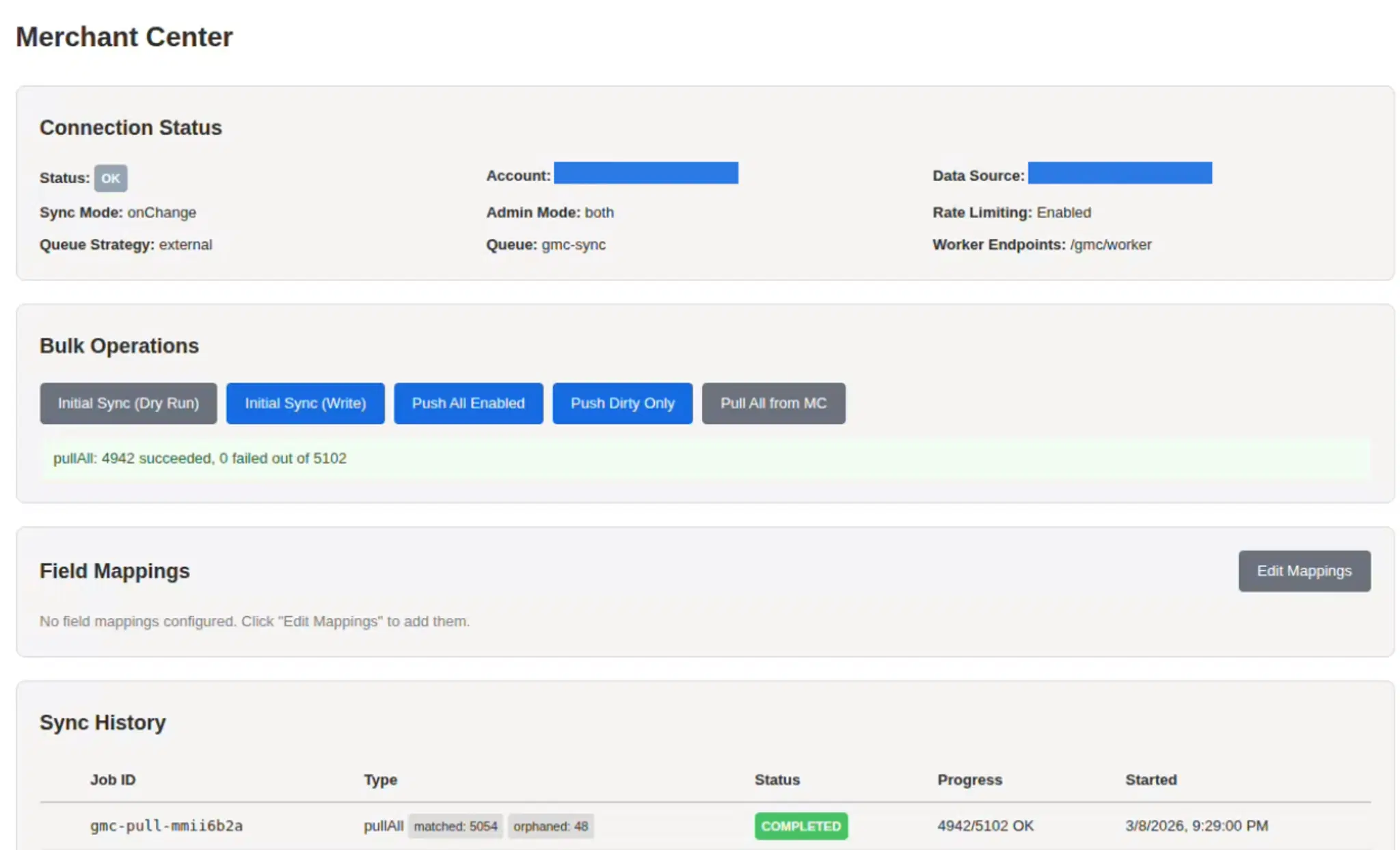
Conti Digital - Payload GMC Plugin Sync Status image
Field Mappings and the beforePush Hook
Getting product data into Merchant Center requires transforming Payload document fields into Google's product attribute schema. The plugin provides two mechanisms for this, and understanding when to use each is key to a clean integration.
Field Mappings for Simple Copies
Field mappings handle straightforward one-to-one copies between Payload fields and Merchant Center attributes. Map your title field to productAttributes.title. Map your price field to productAttributes.price.amountMicros with the toMicrosString transform preset (because Google's API requires price as a string representing micros: "15990000" for $15.99). Map your featured image to productAttributes.imageLink with the extractAbsoluteUrl preset to resolve relative paths.
Field mappings can be defined in code (version-controlled, static) or through the admin UI (runtime, stored in a hidden collection). Runtime mappings are additive: they supplement code-defined mappings rather than replacing them. This lets a non-developer SEO team member adjust mappings without a code deployment.
beforePush for Everything Else
Real-world ecommerce products almost always require conditional logic, cross-collection lookups, computed values, and business rules that field mappings cannot express. The beforePush hook is where all of that lives.
beforePush runs after field mappings and category resolution, right before the API call. It receives the full Payload instance (so you can query any collection), the source document (hydrated to configurable depth), the operation type (insert or update), and the prepared product input (already populated by field mappings). You modify the input and return it.
Fine's Gallery's production beforePush implementation demonstrates the range of what this hook handles: price fallback logic that chooses between suggested price and effective price, sale price validation that removes invalid sale prices where the sale price exceeds the regular price, category-derived material resolution (marble, bronze, limestone), dimension unit overrides where rugs use feet and everything else uses inches, cross-collection promo lookups that query a separate promos collection to derive custom labels and free shipping eligibility, and image prioritization that selects ad images over main product images when available.
The pattern is: use field mappings for the simple stuff, use beforePush for the business logic. In practice, most production integrations do the bulk of their work in beforePush.
Conflict Resolution
When you pull data from Merchant Center back into Payload, conflicts can arise. A product might have been edited locally since the last sync, or the Merchant Center data might include Google's enrichments that you want to preserve.
The plugin offers three conflict strategies:
mc-wins always overwrites local data with Merchant Center data. Simple, but aggressive.
payload-wins skips the pull if the local product has been modified since the last sync (the dirty flag is set). This protects local edits from being overwritten by stale remote data.
newest-wins (the default) compares timestamps. If the local product is dirty, the pull is skipped. If not, the plugin compares the Merchant Center product's updateTime against the local lastSyncedAt timestamp and only pulls if the remote data is newer.
This is the same optimistic concurrency pattern used in distributed databases, applied to a CMS-to-API sync. Applying it correctly requires careful handling of edge cases: what happens when timestamps can't be compared (pull proceeds, with a warning), what happens during initial sync (no local timestamp exists, so the pull always proceeds), and how merge behavior differs between single-product pulls and batch pull-all operations. A single-product pull deep-merges remote attributes into local state, preserving local-only keys while updating matched keys with remote values. A pull-all operation replaces the attributes payload entirely for each matched product, since the intent of a full pull is to re-baseline from Merchant Center.
Migrating an Existing Merchant Center Catalog
The setup guide includes a complete migration path for teams that already have products in Merchant Center from another system, whether that's custom hooks, feed files, Shopify, or manual uploads. This was important to get right because the most dangerous moment in any Merchant Center integration is the cutover from an old system to a new one. Done incorrectly, you can create duplicate products, lose approval status on existing listings, or disrupt active Shopping campaigns.
The migration path uses a test data source to validate the integration before touching production. You create a separate data source in Merchant Center, point the plugin at it, push a handful of products, verify that identity values match your existing catalog exactly, then progressively expand. Only after validation do you switch to the production data source, disable the old sync system, and run a pull-all to hydrate your Payload documents with existing Merchant Center data.
The pull-all-then-initial-sync sequence is deliberate. Pulling first populates your Payload documents with the current Merchant Center state (approval status, enriched attributes, snapshot data). Then running initial sync with onlyIfRemoteMissing: true pushes only products that exist in Payload but not in Merchant Center, without overwriting anything you just pulled.
Scheduling and External Orchestration
The plugin supports two scheduling strategies for batch operations. The external strategy exposes authenticated API endpoints that your existing cron system (AWS EventBridge, Lambda, or any HTTP-capable scheduler) can call on whatever schedule you define. The payload-jobs strategy registers task definitions on a Payload jobs queue, but it does not run an internal scheduler or process jobs inside the web process. You must run a dedicated Payload jobs worker for the gmc-sync queue, and scheduled batch operations (like daily push-dirty sweeps) still require an external trigger to enqueue the work.
Both strategies expose the same underlying operations: push all dirty products, run initial sync, pull all from Merchant Center, push or delete individual products. The choice between them depends on whether your infrastructure already has a scheduling system (use external) or whether you want Payload to own the job queue (use payload-jobs).
Worker endpoints use their own API key authentication, separate from Payload's user authentication. This creates a clean security boundary: admin users interact through the Payload admin UI with session-based auth, while server-to-server batch operations use bearer token auth. The two never cross.
What Production Taught Me
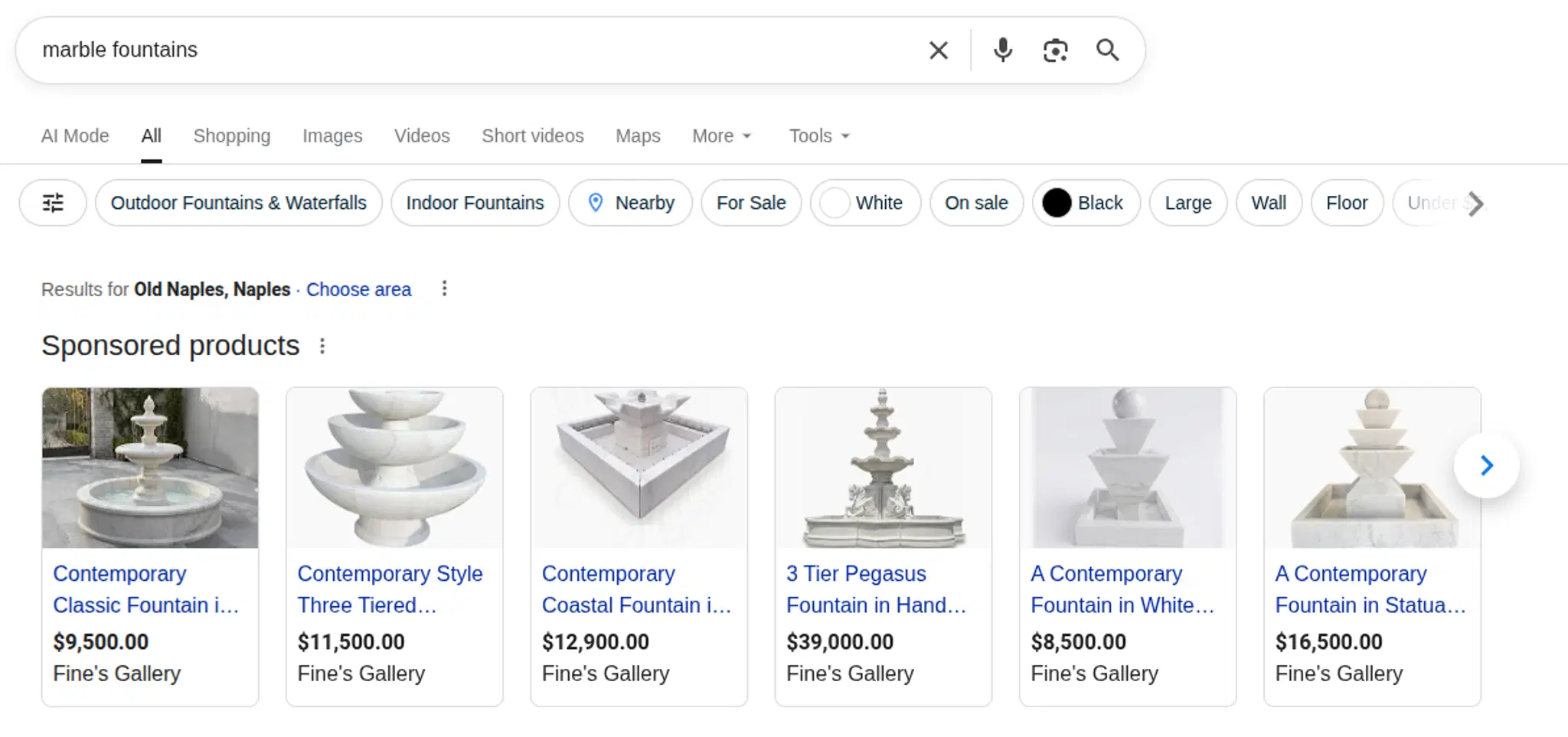
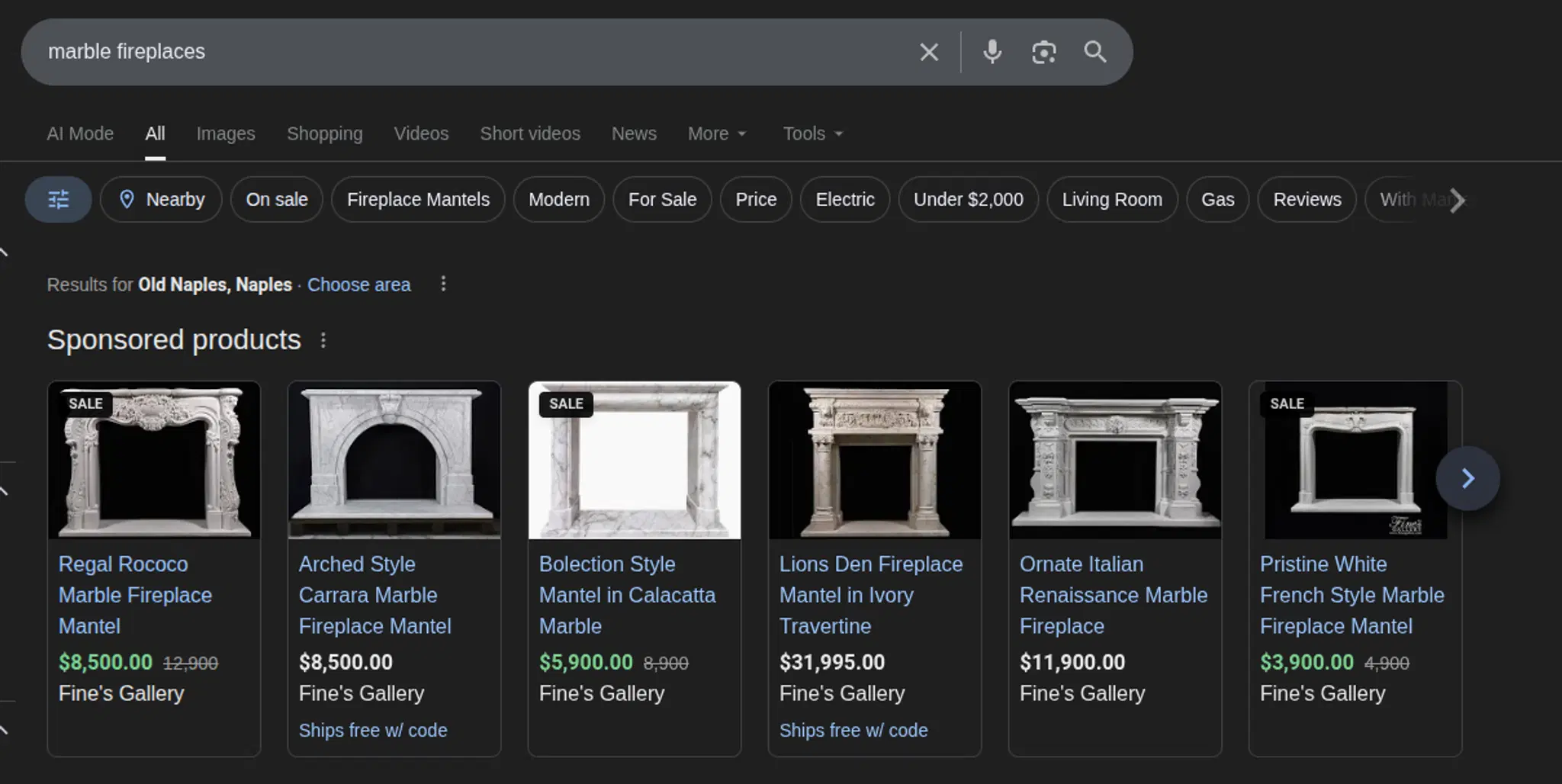
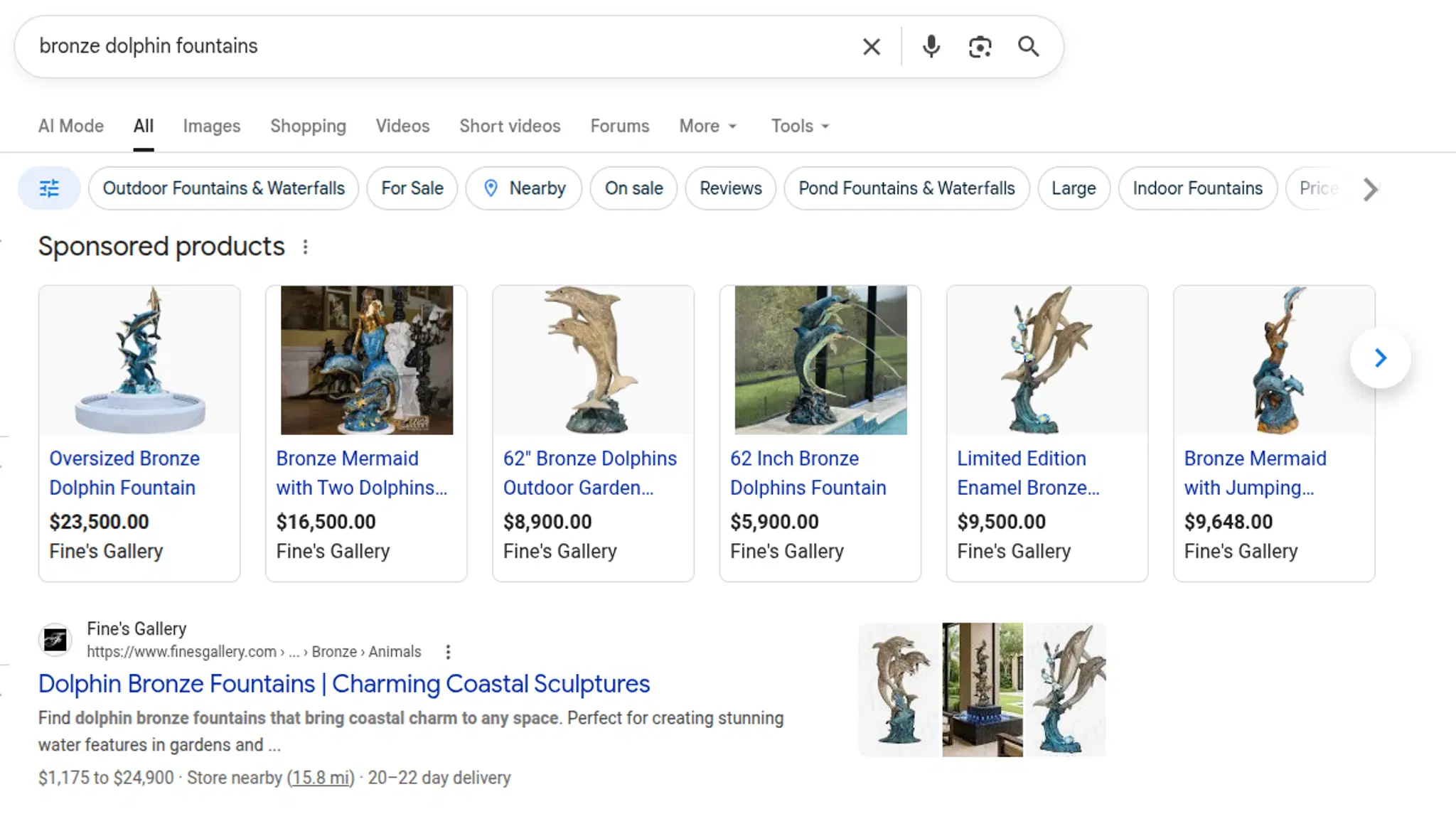
Fine's Gallery actively uses this plugin in production to achieve market dominance across all major product categories.
Identity alignment: The plugin includes explicit warnings in the documentation and validation in the code because this mistake is so easy to make and so expensive to fix (you have to delete the duplicates from Merchant Center manually).
Non-technical users need simple controls: The admin dashboard with push, pull, delete, and refresh buttons per product, plus bulk operations at the dashboard level, exists because the people managing the catalog day-to-day are not developers. They need to see sync status at a glance, trigger operations with a click, and understand errors without reading API response bodies.
Google's approval pipeline: After pushing a product, it can take 30 to 90 seconds for Merchant Center to process it and return updated approval status. The plugin's "Refresh Snapshot" action exists specifically for this: it re-fetches the product from Merchant Center to get the latest approval status without pushing any data. Understanding this latency and building the UI to accommodate it (rather than pretending sync is instant) was important for user trust.
Custom labels are the bridge between catalog management and campaign management: Fine's Gallery uses customLabels to segment products into marble Shopping campaigns versus non-marble Shopping campaigns, and to tag products with active promotional labels. These labels are derived dynamically in beforePush from category hierarchies and cross-collection promo lookups. This means the catalog team manages products and promotions in Payload, and the campaign structure in Google Ads automatically reflects those changes. No manual coordination between CMS editors and ad managers.
Production Results
The plugin manages Fine's Gallery's entire Merchant Center catalog: 5,400 products synced through the Merchant API v1 with onChange mode for real-time updates and a daily scheduled push-dirty sweep as a safety net. Multiple paid Shopping campaigns are segmented through custom labels derived from category and promotion data. The system has been running in production since mid 2025.
The business impact is measurable: Google Shopping is Fine’s Gallery’s primary revenue channel, generating six figures every month. The plugin ensures that catalog accuracy, pricing updates, promotion tagging, and new product launches reach Merchant Center within seconds of being saved in the admin panel.
Read more about how Fine's Gallery leverages Google Shopping in the companion article: Google Shopping for High-Ticket Ecommerce: The Fine's Gallery Playbook.
The plugin was extracted from Fine's Gallery's production codebase and open-sourced as part of Conti Digital, my consultancy focused on sovereign AWS infrastructure and high-ticket ecommerce platforms.
It's available on npm and GitHub under the MIT license. Feedback and contributions are welcome.